Creative strategy. Practical AI video creation.
Make AI videos with a clear idea behind every shot.
A self-paced course for creators and affiliate marketers who want to turn an idea into a script, a prompt and an AI video—with real walkthroughs and worksheets to practice.
Get the course — $199One-time course payment · Learn at your own pace on Whop.
AI software subscriptions and generation credits are separate.
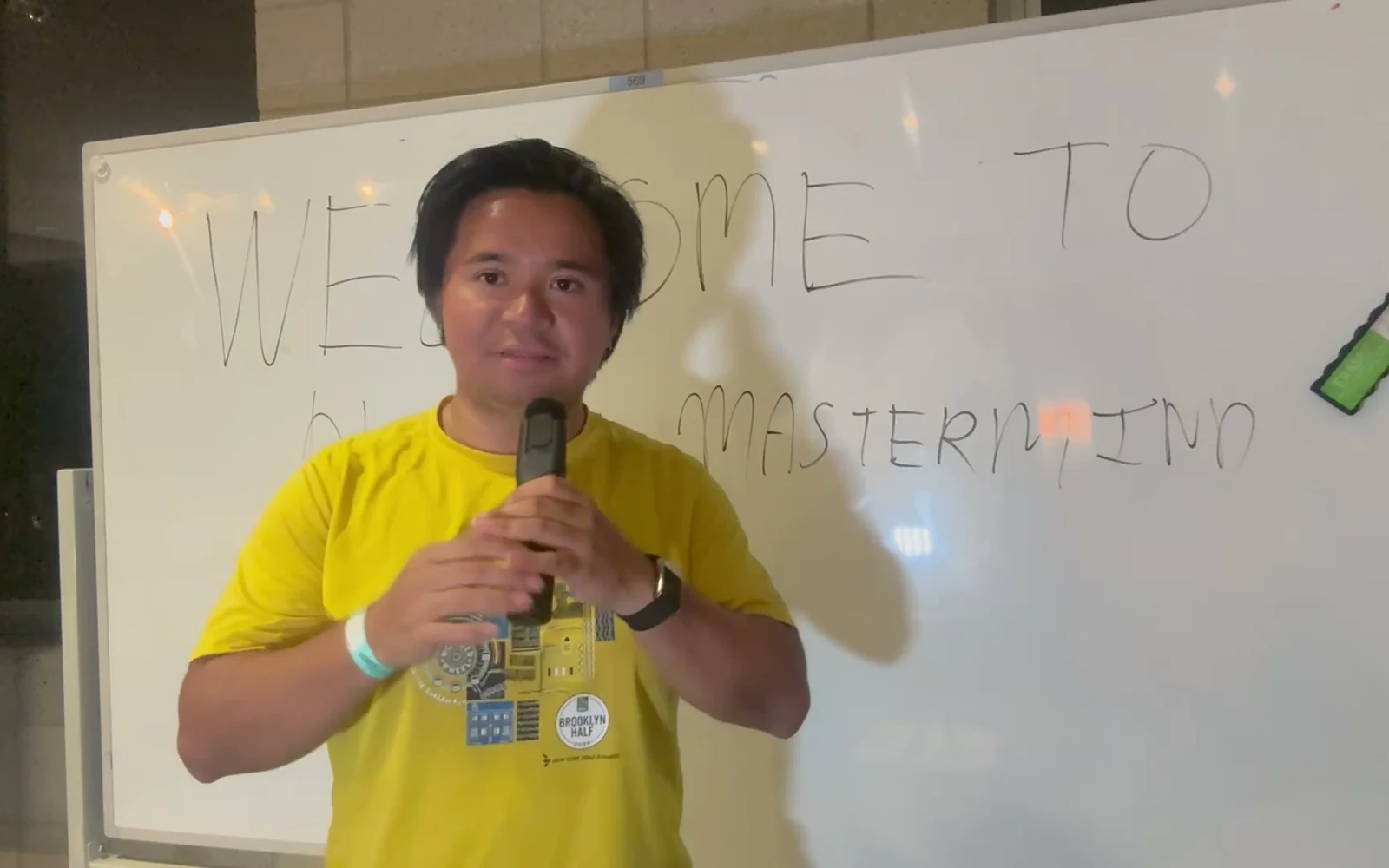
25 recorded video lessons
~1h 41m of edited teaching
18 pages in your practice workbook
The prompt makes more sense when you understand the idea.
If you already use ChatGPT or Claude, you know how easy it is to ask for a video idea. The harder part is deciding what that video should say—and giving AI clear enough direction to follow it.
Who are you speaking to? What do they already know? What do they care about? What should they see first, and what should they do next?
Those choices are the reason I devoted a whole phase to creative thinking. Before we get to generation, we break down the audience, the message, the hook and the way the story is presented.
Then, when I show you the prompt, the pieces have a purpose. You’re making decisions you understand, rather than filling in a template and hoping for the best.
The course takes you through the tool setup, that creative thinking, generation examples and a review process. The worksheets help you carry the same idea from one stage to the next.
My goal is to help you understand what to ask for—and why.
A process you can practice
Think it through. Give it direction. Make the video.
There’s a reason the creative-strategy lessons come before the generation lessons. Each decision gives the next step something useful to work with.
Decide what the video needs to say.
Choose one audience and one situation. Work out what they need to understand, how you’ll open, and what action makes sense at the end.
Turn those choices into a clear prompt.
Bring your message, format, length and visual direction together in a brief. Understand which decisions you’re making and which you’re asking AI to make.
Generate, review and improve.
Follow examples starting from an idea, a product page or a reference video. Compare the output with the brief, then decide what needs to change.
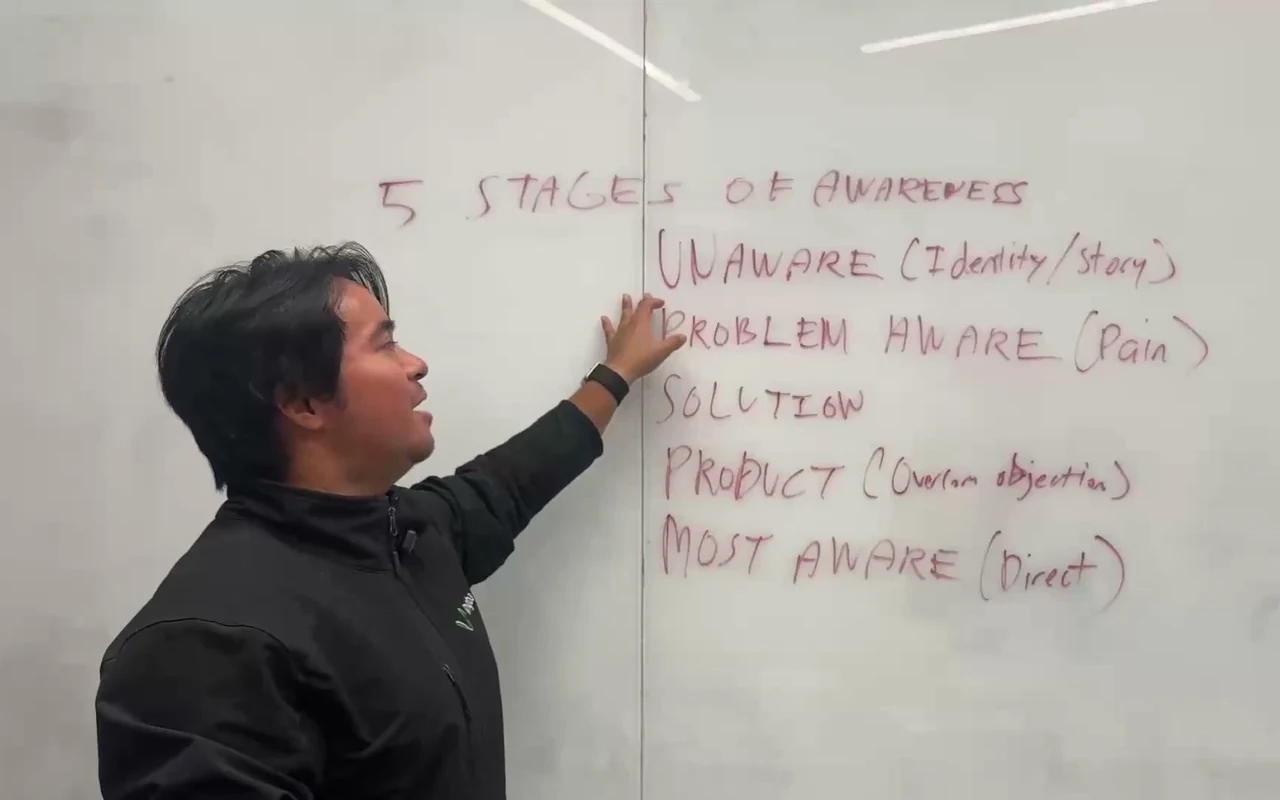
Inside the lessons
You learn the decisions behind the video.
Audience, awareness, hooks, message and format stop being labels to memorize. You use them to give your video a direction you can explain.
Is this the right course for you?
For people who want to make the creative choices themselves.
A good fit if…
- You’re a creator or affiliate marketer who wants a clearer process for AI video.
- You use a desktop AI assistant—or are willing to learn one—and want practical examples to follow.
- You learn by watching a walkthrough, trying an exercise and improving your first attempt.
- You’re willing to set up tools, check permissions and review what AI produces.
A different offer would suit you better if…
- You want guaranteed views, conversions or income.
- You want a done-for-you service or a fully unattended video factory.
- You’re looking for personal coaching, weekly live calls or individual feedback included in the price.
Inside the course
A clear path from setup to making.
25 edited video lessons, plus two resource pages for the downloads. Expand a phase to see the actual lessons.
Watch at your own pace. Allow extra time for setup, practice and generation.
Get the course — $199Start hereCourse introduction1 video lesson
See the roadmap, how the phases connect and how to use the course as hands-on practice.
- Welcome to Ariel’s AI Mastermind
Phase 1Tools and setup8 video lessons
Follow the desktop project, provider options, plugins, account connections and permissions shown in the course. Check current tool requirements and pricing before you choose a provider.
- Wispr Flow: Speak Your Prompts
- Gemini Omni Flash: Formats and Reusable Hooks
- Choosing a Video Provider: Higgsfield or Kie.ai
- Desktop Setup: Projects, Settings and Plugins
- Computer Use Setup
- Option 1: Kie.ai Setup
- Option 2: Higgsfield Plugin and CLI Setup
- Gemini API Key Setup for Video Analysis
Phase 2Creative strategy8 video lessons · The thinking behind the prompt
Learn how the audience’s situation and starting knowledge shape your message. Work through the creative choices, bring them into a prompt and choose how the story appears on screen.
- Think Like a Creative Strategist
- The Five Awareness Stages
- Conditions: What People Want to Reach or Escape
- Personas and Audiences
- Hook, Body and Call to Action
- Mechanisms: Explain How the Solution Works
- The Prompt: Put Your Creative Thinking Together
- Creative Formats: Choose How to Present the Story
Phase 3Generate and review videos6 video lessons
Follow generation examples from an idea, a product page or a reference video. See how to compare the result with the brief and decide what to revise.
- Phase 3: From Strategy to Generation
- Three Ways to Start Your Video Prompt
- Installing the Copyfirst and Omni Flash Skills
- Generate, Review and Revise an AI Video
- Generate from a Product Page or Reference Video
- Review the Product-Page and Reference-Based Results
Phase 4Video automation: planning a workflow1 video lesson
An introduction to describing research, analysis, creation and delivery as a repeatable routine. The demonstration still has permissions to resolve; it is workflow planning, not a finished hands-off production system.
- Plan a Scheduled Video-Production Workflow
Phase 5Wrap-up and practice1 video lesson
Put the lessons to work on your own idea. Review the result and identify what to improve next.
- Course Wrap-Up: Put the Skills into Practice
DownloadsYour worksheets and reference files2 resource pages · Not additional videos
Download the guides, practice materials and two skill packages used in the lessons.
- Course Reference Guides and Skill Packages
- Ariel’s AI Mastermind — Student Practice Workbook
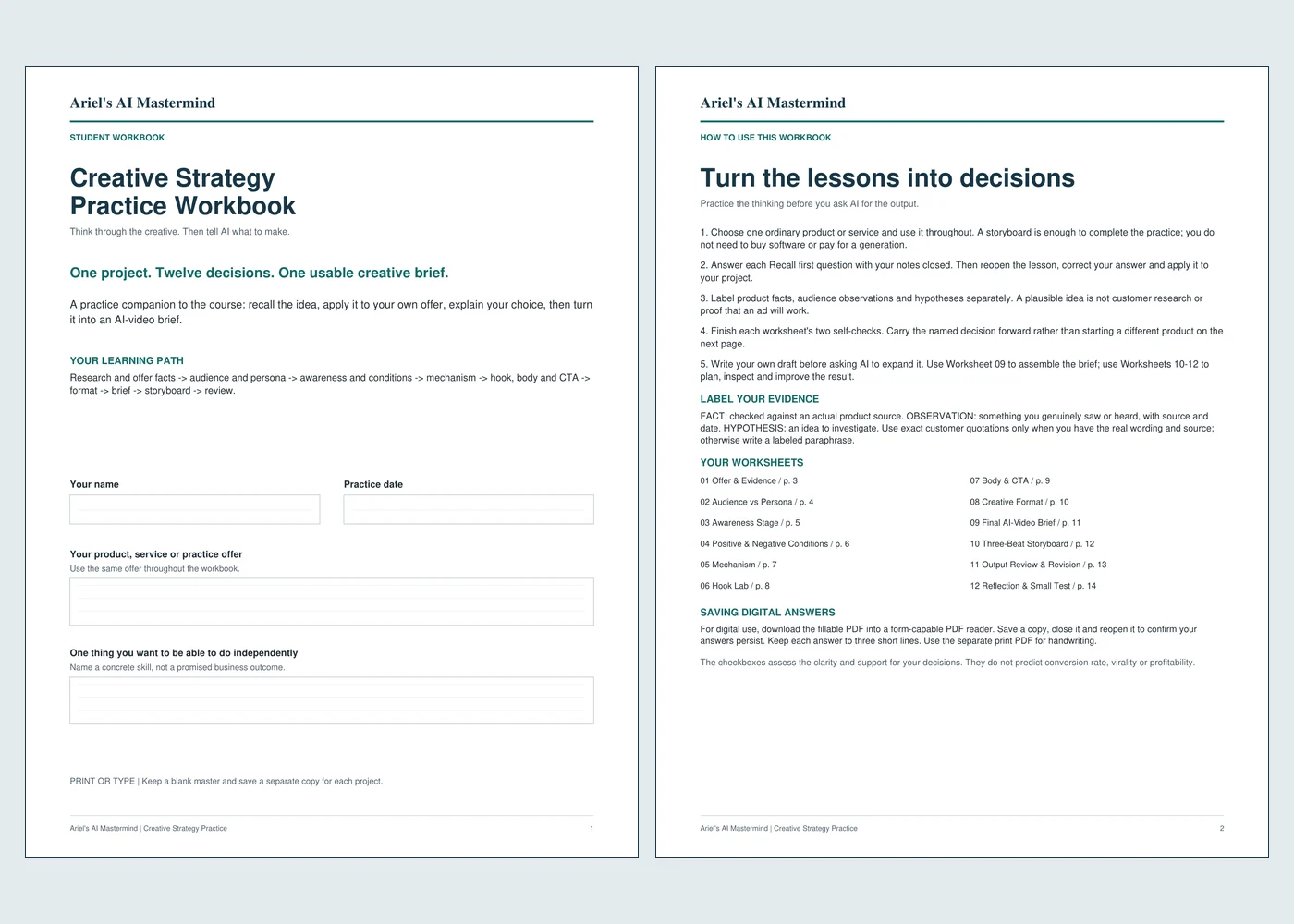
Practice, don’t just watch
Turn the lesson into a brief you can use.
Choose one product or offer and carry it through the exercises. Your audience, hook and story choices become inputs for the video you want to make.
- 18-page student workbook in fillable and printable versions, with 13 individual exercises.
- 3-page worked example and answer guide so you can check your reasoning. The example is a fictional practice case, not a customer result.
- 42-page course reference workbook and lesson-by-lesson reference sheets.
- Transcripts and English captions to help you follow and revisit the recorded lessons.
- Ad creative reference sheet and two skill packages used in the course’s video workflow.
Meet your instructor
A practical course, taught from my own workflow.
I’m Ariel Tolome. I use AI tools throughout my own work, and I built this course to make the way I think through videos easier to follow.
I normally work in a more technical setup. Here, I’ve organized the lessons around a desktop workflow so you can focus on the creative choices, rather than recreating my whole tool stack.
This is my first course, and I’d genuinely like your feedback. Work through the exercises, try the process and let me know what’s clear—and what I can explain better.

Ariel’s AI Mastermind
Learn the thinking. Practice the process. Make your own video.
Get the recorded course and the materials that help you put it into practice.
- 25 video lessons, from tool setup to generation and review.
- English captions, transcripts and lesson reference sheets.
- The fillable and printable student workbook, 13 exercises and worked-example guide.
- The course reference workbook, ad creative sheet and two downloadable skill packages.
You’ll need a computer, a desktop AI assistant and the relevant provider accounts. Some features may need paid subscriptions or generation credits. Those costs are separate from the course. Coaching and live calls are not included.
The self-paced course
High-Converting AI Videos for Affiliate Marketing
$
One-time course payment
Continue on WhopOpens the course’s Whop product page. Review the current price, payment terms and applicable policies there before buying.
Already enrolled? Open your course in Whop.
Before you join
A few practical questions.
Know what’s included, what you’ll need and what to expect.
Do I need to be technical?
You don’t need to arrive as a developer, but there is some setup: a desktop app, plugins, provider accounts, permissions and API keys. The course walks through the setup used in the recordings. Some setup lessons end before a completed generation test, so allow time for your own checks and account-specific differences. Keep your keys private and review permissions before approving access.
Can I follow along with ChatGPT or Claude?
The creative thinking applies to either assistant. The recordings show the specific desktop environment used in the course; menus, plugins, connections and available features can differ between apps, versions and plans. The course does not require you to recreate Ariel’s everyday terminal-based setup.
Does the price include the AI tools and video credits?
No. The $199 is for the course and its downloads. Third-party AI subscriptions, optional dictation, video-provider credits and API usage are separate. The recordings discuss Higgsfield and Kie.ai as provider options and Gemini for analysis. Check current provider plans, costs and permissions before choosing a route.
How long is the course?
There are 25 edited video lessons, totaling about 1 hour 41 minutes, plus two download/resource pages. That is watching time, not total practice time. Allow extra time to set up your tools, complete the workbook, generate examples and review them.
How do I access the lessons and downloads?
After purchasing, access the course through your Whop account. The videos stream inside the course, with English captions. The worksheets, transcripts and reference files are downloadable. Check the current access and payment terms on Whop before completing your purchase.
Will this make my videos sell or go viral?
No course can promise that. This teaches a process for making deliberate creative choices, briefing AI and reviewing its output. The examples demonstrate the workflow; they are not evidence of future sales or ad performance. Your product, claims, execution, audience and testing still matter.
Does it include fully automated video production?
Phase 4 introduces planning a repeatable, scheduled workflow. The recorded demonstration still has permissions to resolve; it is not a verified unattended production system. Buy this course for the creative thinking and practical walkthroughs, not a done-for-you automation service.
Are coaching, live calls or a refund guarantee included?
This offer is the recorded course and its listed downloads, not personal coaching or weekly calls. For payment and refund questions, review the current terms on Whop or contact ariel@pigeonfi.com before buying. This page does not add a separate refund guarantee.
Start with one idea
Give your next AI video a direction you understand.
Follow the lessons, work through the creative choices and put them into a brief you can use. Then make, review and improve.
Get the course — $199One-time payment on Whop. Third-party software and credits are separate.